
Water, coffee or wine spilt on your MacBook? Every minute counts. Our independent Apple workshop in Brussels will clean your motherboard, deoxidise it and recover your data. Free diagnosis.

15 years of expertise
liquid damage
The diagnosis is
100% free within 24 hours
Only
by appointment only!
Parts coverage
and workforce


Choose the ideal way to deal with your emergency.
Expertise by appointment in Berchem-Ste-Agathe. Recommended method for microscope inspection.
Microscopic diagnosis and ultrasonic baths require our workshop equipment.
Collection and return by courier in Brussels or by secure bpost anywhere in Belgium.
Physical intervention essential to treat contact with a liquid.

A rigorous repair process, from in-depth diagnosis to final testing, to get your appliance back in working order.
Opening of the computer, microscopic inspection of each circuit and component. Electrical tests to determine the exact extent of damage caused by the spilled liquid.
The motherboard is immersed in a professional ultrasonic bath to remove all traces of oxidation and corrosion. An anti-corrosion treatment is applied after the complete drying time.
Only damaged components are replaced using SMD micro-soldering: keyboard, trackpad, battery, speaker. No complete replacement if not necessary.
Complete check: boot, screen, keyboard, trackpad, speakers, connectors. Your Mac is returned in working order with a 180-day guarantee.
Even if your MacBook seems to work after contact with liquid, progressive oxidation damages the internal circuits over time.
Liquid conducts electricity between components. A short circuit can damage the processor or the power supply circuit in a matter of seconds.
Coffee, wine and soft drinks contain acids and sugars that accelerate corrosion. The type of liquid spilt determines the seriousness of the problem.
The signs often appear after a few days: a black screen, an unresponsive keyboard, crackling speakers. The residual moisture continues its work.
If the liquid reaches the SSD or hard drive, data recovery becomes more complex. Acting quickly is essential to preserve your files.
The price depends on the extent of the damage. All prices include VAT and labour.
| Liquid damage survey | Price incl. VAT |
|---|---|
|
Complete oxidation diagnosis
Microscope inspection, circuit testing and detailed quotation
|
Free |
|
Logic board cleaning
Ultrasonic treatment and specialised anti-corrosion baths
|
150€ - 280€ |
|
Microwelding and SMD components
Repairing damaged power circuits
|
180€ - 350€ |
|
Motherboard replacement
Solution if the corrosion is deemed irreparable
|
350€ - 590€ |
|
Keyboard and trackpad replacement
Necessary if the liquid has penetrated the tactile layers
|
180€ - 320€ |
|
Battery replacement
Extraction of short-circuited or inflated cell
|
129€ - 199€ |
| Services and guarantees included | Status |
|---|---|
|
Priority data recovery
Extraction of files if the Mac stops booting
|
Included |
|
Before and after photo documentation
Visual report of the actual state of oxidation
|
Included |
|
Internal cleaning and drying
Residue removal and thermal dehumidification
|
Included |
|
Express Repair Supplement
Priority workshop treatment within 24 hours
|
+15 % |
|
180-day guarantee
Total protection for labour and components
|
Included |
| MacBook Pro and Air range | |
|---|---|
|
MacBook Pro M1, M2, M3, M4, M5
Apple Silicon architecture, Liquid Retina circuits
|
Available at |
|
MacBook Pro 13", 15", 16" (Intel)
USB-C, Touch Bar and Retina models (2012-2020)
|
Available at |
|
MacBook Air (all models)
Fanless design or Legacy chassis
|
Available at |
|
MacBook 12" Retina
Ultra-compact motherboard (model A1534)
|
Available at |
| iMac, mini and Studio range | |
|---|---|
|
21", 24", 27" iMac"
Seepage through the foot or rear grilles
|
Available at |
|
Mac mini and Mac Studio
Power supply and logic board deoxidation
|
Available at |
|
Success rate (< 48 hours)
Average workshop statistics
|
~ 90 % |
|
Emergency assistance
Free first aid advice
|
Contact us |
| To be done immediately (YES) | Why is this? |
|---|---|
|
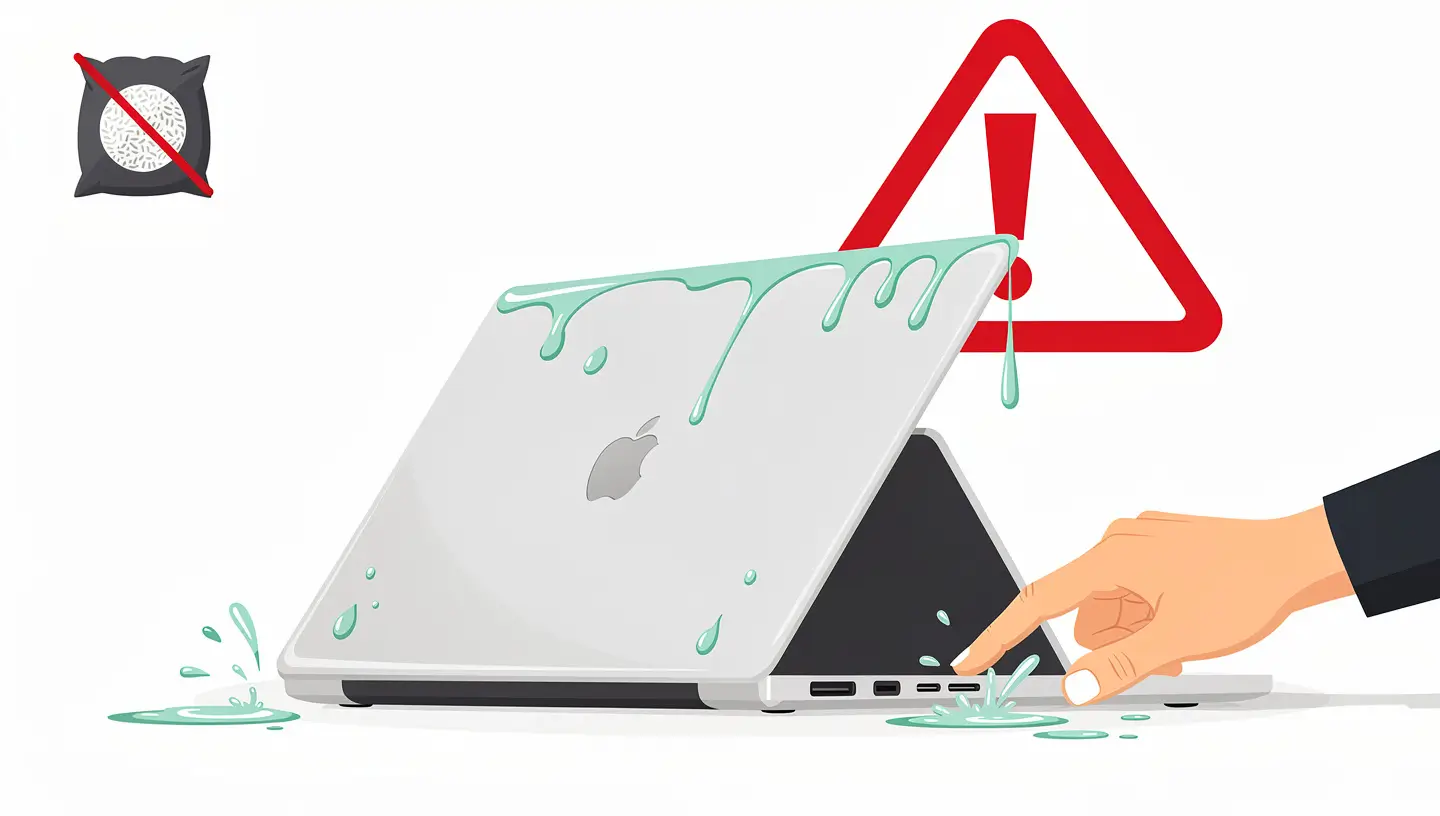
Turning off the Mac by force
Hold down the Power button for 10 seconds
|
Avoid immediate short circuits. |
|
Disconnect the power supply
Remove the MagSafe or USB-C cable
|
Switch off the external power supply. |
|
Surface sponging
Use a soft cloth or paper towel
|
Limit deep infiltration. |
|
Turn the appliance upside down
Allow the liquid to drain naturally
|
Facilitate the evacuation of liquid. |
| Do NOT (NO) | Risk involved |
|---|---|
|
Put it in rice
The rice trick is an urban legend
|
Danger Dust and starch aggravate oxidation. |
|
Using a hairdryer
Hot air on keyboard or screen
|
Danger Risk of melting the keys and internal layers. |
|
Try turning it back on
"Just to see if it works"
|
Fatal Electrolysis: causes electrolysis and burns components. |
Our workshop is equipped to deal with even the most complex cases of liquid damage to a MacBook.
Parts and labour covered. If a problem reappears following the intervention, we will resume the repair at no extra charge.
Protecting your files is our priority. We secure the contents of the SSD or hard disk before any work is carried out on the logic board.
Component-by-component inspection. We replace only what is necessary, an essential asset in controlling the cost of your repair.
Full photo report showing the condition of the motherboard before and after ultrasonic cleaning. Total transparency of the process.
Repairs extend the life of your machine and combat programmed obsolescence. Replacing a component is better than buying a new machine.
Business emergency? Our priority option (+15%) treats your MacBook Pro or Air as a priority. Most devices are ready the same day.
What you need to know if you've spilt a liquid on your Mac.
The cost varies according to the extent of the damage: from €150 (incl. VAT) for a light oxidation cleaning to €590 if a motherboard replacement is required. Visit diagnosis is free of charge, with a detailed estimate within 24 hours.
In most cases, yes. The SSD or hard disk is not always directly affected by the liquid. We carry out the recovering your data as a priority during the diagnostic phase, before any work is carried out on the logic board.
No. Apple's warranty and AppleCare do not cover water damage. Every MacBook contains Liquid Contact Indicators (LCIs) that reveal any exposure. Our independent workshop charges up to 50% less than an Apple Retail Store for this type of work.
Absolutely. A glass of pure water causes less damage than a sugary coffee or soda. Sugars and acids accelerate the corrosion of components. In all cases, you need to act quickly: oxidation starts within a few hours, whatever the liquid.
It's a risky business. Cleaning the motherboard requires an ultrasonic bath, a microscope and expertise in SMD micro-soldering. Using isopropyl alcohol alone is not enough to eliminate in-depth corrosion. Amateur treatment can worsen the damage.
Feedback from customers who have experienced a liquid spill on their Mac.
"I'm finally taking the time to say thank you! Not content with having saved my mac pro (and therefore my life 😉 ) after falling into a glass of water, my old mac pro has been resurrected thanks to the installation of a new hard drive! A big thank you to great professionals who are also extremely pleasant. Unreservedly recommended."

"Perfect service from start to finish. MacBook Pro that had taken on water saved without replacing parts. Environmentally friendly and efficient. I recommend to 100%."

"I would recommend this place to 100%! I spilled water on my Mac and it wouldn't turn on at all. The man who took care of me was incredibly kind and helpful, and I was able to get my computer back in perfect condition the very next day! I'm a student and I had all my documents on the computer, what a relief! Super affordable prices compared to other places I've been! Many thanks again and top service!"

"Damage diagnosis carried out quickly and seriously. Highly recommend!"

"Very satisfied, I spilt a glass of water on my Mac, after that the wifi no longer worked and the pc switched itself off all the time. I dropped it off in the morning and in the evening it was repaired and even cleaned, like new! The technician was really nice and took the time to explain the problem in detail!"


Emergency procedures, deoxidation and recovery after contact with liquids. Advice on how to react quickly and maximise the chances of saving your MacBook.
By appointment only!

We operate in 19 municipalities: Anderlecht, Auderghem, Berchem-Sainte-Agathe, Brussels City, Etterbeek, Evere, Forest, Ganshoren, Ixelles, Jette, Koekelberg, Molenbeek-Saint-Jean, Saint-Gilles, Saint-Josse-ten-Noode, Schaerbeek, Uccle, Watermael-Boitsfort, Woluwe-Saint-Lambert and Woluwe-Saint-Pierre.
Whether you own a MacBook Pro, a MacBook Air, a iMac or a Mac mini, Our repair centre provides motherboard cleaning and replacement of damaged components. You can also take advantage of our preventive maintenance to protect your Mac in the future.
If your Mac has been in contact with liquid, every minute counts. For cases where the Mac won't restart after drying, consult our guide Mac in water: emergency procedures. Once the motherboard has been cleaned, a preventive maintenance will reduce the risk of corrosion in the long term.
Exclusive specialisation
Our workshop is entirely dedicated to repairing Apple computers. We do not handle mobile devices or Windows PCs.