
Lost files, a faulty hard drive or a Mac that won't start? Our Apple-independent workshop will extract your data from any storage medium (SSD, HDD, Apple Silicon chip). Free diagnosis, no data = no charge.
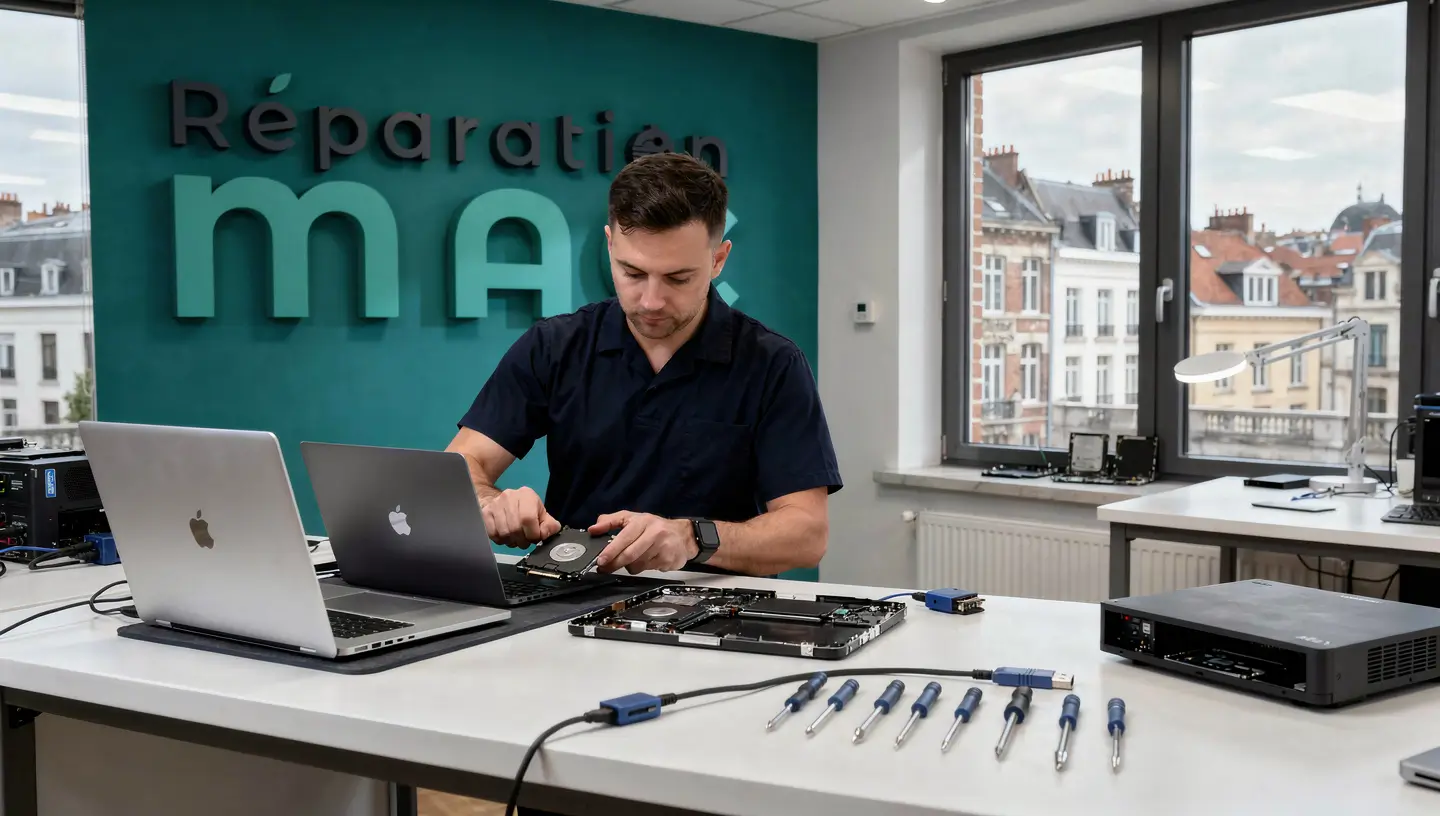
15 years of expertise
in recovery
The diagnosis is
100% free within 24 hours
Only
by appointment only!
Parts coverage
and workforce


Choose the most suitable support method for restoring your files.
Expertise by appointment in Berchem-Ste-Agathe. Recommended method for physical extraction.
On-site diagnosis in Brussels. Extraction then continues in the workshop if necessary.
Collection and return by courier in Brussels or by secure bpost anywhere in Belgium.
Physical access to the disk is essential. Remote control is suitable for software failures.

From diagnosis to recovery, each stage is designed to maximise the recovery rate while preserving the integrity of your files.
Analysis of the hard disk or SSD, identification of the fault (hardware failure, software corruption, liquid damage) and assessment of the success rate. Detailed quotation within 24 hours.
Extraction of storage media and connection via SATA/USB adapter. For Apple Silicon chips (M1 to M4), we use the advanced procedure in DFU mode with professional tools.
Secure copy of your data to an external hard drive or USB key. Integrity check of each recovered file before validation.
Delivery of data on the medium of your choice. Time Machine backup advice and configuration to prevent future data loss.
15 years of expertise, specialised tools and a total commitment to results.
Intervention and support are covered. If a problem arises after recovery, we will intervene free of charge.
If no files are recoverable, you pay nothing. The diagnosis remains completely free. That's our commitment since 2010.
Analysis station, SATA/USB adapters, advanced recovery software and hardware compatible with T2 and Apple Silicon chips.
List of recovered files, storage media status and customised backup recommendations.
Extend the life of your Mac and prevent the permanent loss of irreplaceable files (photos, professional documents, creative projects).
Business emergency? Our priority option (+15%) gives your recovery priority.
Diagnosis, intervention and transfer to external support included.
| Type of recovery | Price incl. VAT |
|---|---|
|
Complete diagnosis of the substrate
In-depth analysis of sectors, S.M.A.R.T. test and quotation within 24 hours
|
Free |
|
Deleted files
Empty recycle bin, accidental deletion, APFS volume
|
90€ - 150€ |
|
Extraction (Mac HS)
Dead Mac, broken screen or motherboard (healthy SSD)
|
120€ - 190€ |
|
Damaged / defective disc
Faulty sectors or file system corruption
|
190€ - 350€ |
|
Liquid damage recovery
Severe oxidation or corrosion of the SSD chip
|
250€ - 490€ |
|
T2 / M1 to M4 chip
Advanced Apple Silicon procedure via DFU mode
|
On request |
| Included in the intervention | Status |
|---|---|
|
Transfer to customer support
Copy to your external hard drive or USB key
|
Included |
|
Time Machine backup tip
Configuration to prevent future losses
|
Included |
|
Commitment to results
If no data is retrieved
|
0 fee |
|
Express Service Supplement
Immediate priority treatment in the workshop
|
+15 % |
|
180-day guarantee
Intervention and support covered
|
Included |
| MacBook Pro and Air laptops | |
|---|---|
|
MacBook Pro and Air (2008-2012)
Physically removable SATA hard disk or SSD
|
Available at |
|
MacBook Pro Retina (2012-2015)
Apple proprietary SSD, extraction via PCIe adapter
|
Available at |
|
MacBook Pro / Air Apple Silicon
M1 to M4 chips, SSD soldered to logic board
|
Advanced DFU |
| Fixed range and statistics | |
|---|---|
|
iMac and Mac mini (Intel)
Standard physical extraction from storage media
|
Available at |
|
iMac M1 / M3 and Mac Studio
Software recovery via bridged connection
|
Advanced DFU |
|
Average success rate
Based on our work in Brussels
|
~ 95 % |
|
Technical assistance
Immediate advice from a technician
|
Contact us |
| Immediate action (YES) | Why is this? |
|---|---|
|
Turning off the Mac by force
Hold down the Power button for 10 seconds
|
Prevents the system from overwriting deleted files. |
|
Disconnect all storage
Remove USB sticks and external disks
|
Prevents accidental writing errors. |
|
Stop using the Mac
No additional writing operations
|
Maximises the chances of file recovery. |
|
Consult a professional
Contact our workshop for free advice
|
Assess the situation and the chances of recovery. |
| Do NOT (NO) | Risk involved |
|---|---|
|
Reinstall macOS
"To see if it fixes the bug"."
|
Fatal irrevocably overwrites your old data. |
|
Use free software
Downloaded recovery scanners
|
Risky Installing the software may destroy your files. |
|
Shake or tap the Mac
In the event of mechanical noise (rattling)
|
Danger physically scratches the disk (HDD) platters. |
The essentials before taking your Mac to our workshop.
From €90 incl. VAT for a simple extraction (deleted files) to €490 for a severely damaged disk. Work on T2 or Apple Silicon chips is subject to quotation. Visit diagnosis is free of charge and you will receive a detailed quote within 24 hours. If no data can be retrieved, you pay nothing.
Yes, in the vast majority of cases. We use target disk mode, physical extraction from the SSD or hard disk and professional tools to access your files without booting macOS. Even if your Mac is no longer powered on, your data is often still sleeping on the storage chip.
Yes, as long as they have not been rewritten with new data. Act quickly and avoid using your Mac to maximise your chances. An emptied recycle bin does not mean that the files have been permanently deleted.
From a few hours for a simple extraction to 48 hours for a damaged disk or an Apple Silicon chip requiring DFU mode. Our express service is available for emergencies.
No. We recover data directly from the hard disk or SSD, even without prior backup. However, Time Machine remains the best solution to prevent any future loss. We can configure your backup after the operation.
The Apple Store does not offer a data recovery service. In the event of a breakdown, they often recommend complete replacement of the machine. Our independent workshop extracts your files with competitive rates and a success rate of around 95%.
Feedback from customers who have recovered their files.
"Super service! Fast and efficient. They saved my mac and all my data. (While Mac salesmen told me I had lost everything...) They are pro and I recommend it ++!"

"I would recommend this place to 100%! I spilled water on my Mac and it wouldn't turn on at all. I was able to get my computer back in perfect condition the next day! I'm a student and I had all my documents on the computer, what a relief!"

"Thank you for solving my problem so quickly. I had lost all my photos. Two other professionals had tried but had not recovered my photos. I am very grateful."

"After 11 years my iMac gave up on me. He brought my iMac back to life: cleaned, changed the disk, recovered data and all for a small price. Very friendly, I highly recommend him."

"I recommend this address where repairs are reasonably priced, and where there is no pressure to consume! My computer is as good as new and I was able to recover all my data!"


Prevention with Time Machine, disk diagnostics and recovery of deleted files. Our guides to protecting your most valuable data.
By appointment only!

We operate in 19 municipalities: Anderlecht, Auderghem, Berchem-Sainte-Agathe, Brussels City, Etterbeek, Evere, Forest, Ganshoren, Ixelles, Jette, Koekelberg, Molenbeek-Saint-Jean, Saint-Gilles, Saint-Josse-ten-Noode, Schaerbeek, Uccle, Watermael-Boitsfort, Woluwe-Saint-Lambert and Woluwe-Saint-Pierre.
Whether you own a MacBook Pro, a MacBook Air, a iMac or a Mac mini, We recover your data from all types of media: hard disks, SATA SSDs, NVMe SSDs and Apple Silicon chips. See also our'SSD upgrade to prevent hard drive failures.
The best protection against data loss is regular backup. Configure Time Machine now to avoid unpleasant surprises. And if your Mac won't start at all, check out our guide Mac that won't turn on before panicking.
Exclusive specialisation
Our workshop is entirely dedicated to repairing Apple computers. We do not handle mobile devices or Windows PCs.