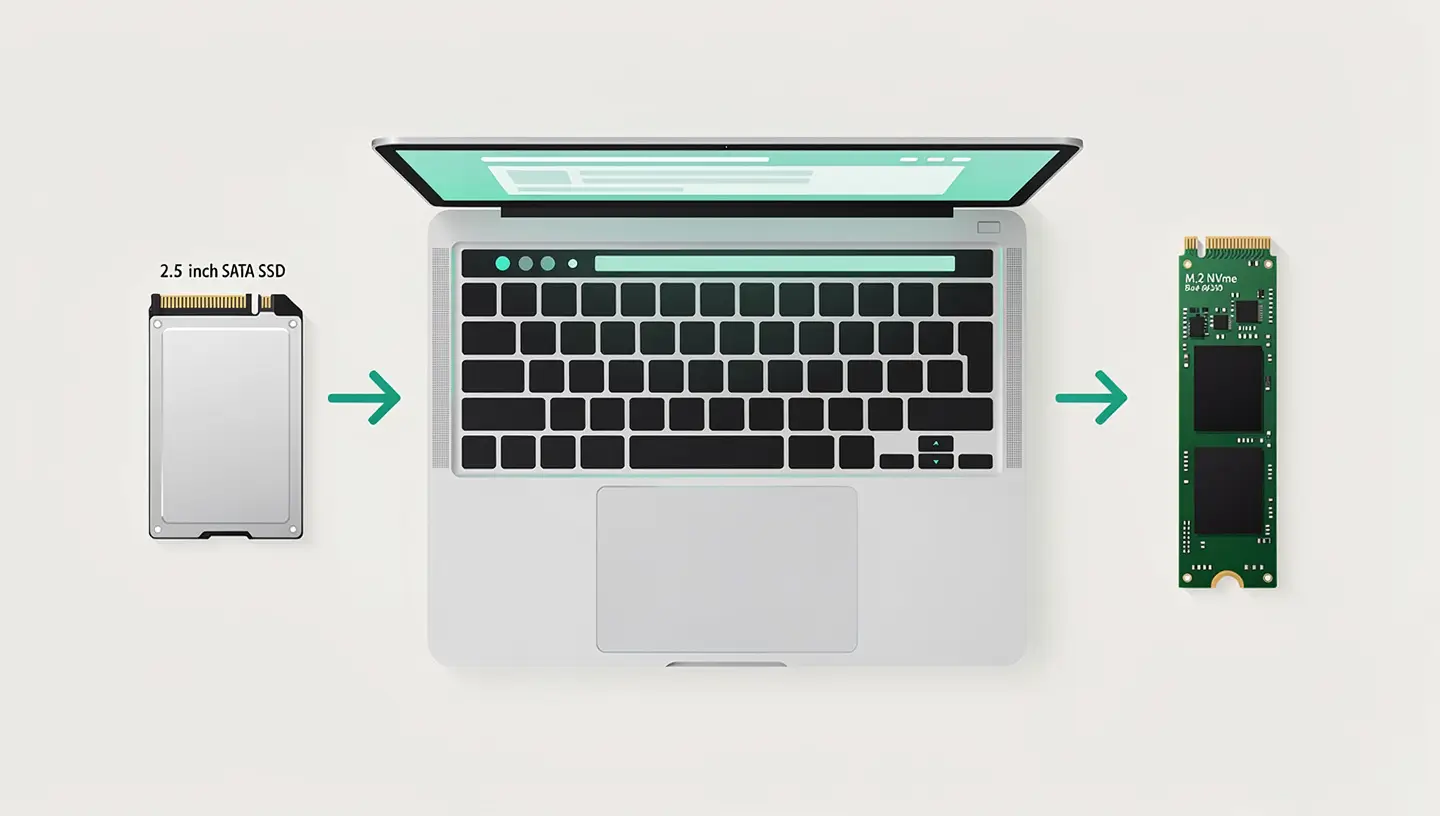

Has your Mac become slow? An SSD will immediately boost its performance. In Brussels, our independent workshop will replace your hard drive with an NVMe or SATA SSD, including full data migration. Give your Mac a boost - the diagnosis is free.

15 years of expertise
on flash memory
The diagnosis is
100% free within 24 hours
Only
by appointment only!
Parts coverage
and workforce


Choose the most appropriate support mode to boost your machine's performance.
Expertise by appointment in Berchem-Ste-Agathe. Recommended method for optimal cloning.
SSD installation and data migration carried out directly at your premises.
Collection and return by courier in Brussels or by secure bpost anywhere in Belgium.
Hardware intervention essential for the physical installation of an SSD. Remote control is suitable for software failures.

A secure installation process, from diagnosis to the return of your laptop or desktop.
S.M.A.R.T. test of the current hard disk, verification of the Mac model and identification of the compatible format: SATA or NVMe depending on your machine.
Full cloning of your hard drive to the new SSD (Time Machine or Carbon Copy Cloner). Data, applications and system settings transferred identically.
Replacement of the HDD with a new SSD (Samsung, Crucial or Western Digital). Trim activation, macOS update to the latest compatible version. Free internal cleaning.
Speed benchmark, stability test and data integrity check. Your Mac is returned with a 180-day guarantee.
High-quality Samsung and Crucial SSDs, with 15 years of Apple hardware enhancement expertise.
SSD and labour are covered. If a fault occurs, we will intervene at no extra cost.
We use professional migration software to ensure that your system stays the same: same settings, same folders, but ten times faster.
We install drives from well-known brands (Samsung, Crucial, Western Digital) using durable and reliable flash memory technologies.
Measured performance report and photo of the internal state. Total transparency on the speed gain achieved.
The SSD upgrade extends the life of your Mac. It's a responsible alternative to buying a new computer, and reduces electronic waste.
Do you need it urgently? Our priority option (+15%) gives your upgrade priority. Most Macs are ready the same day.
All our prices include the new SSD, labour, data migration and internal cleaning.
| SSD upgrade (complete package) | Price incl. VAT |
|---|---|
|
Current disk diagnostics
S.M.A.R.T. test, health analysis and compatibility within 24 hours
|
Free |
|
250 GB SATA SSD
Office use - MacBook Unibody and iMac
|
220€ |
|
500 GB SATA SSD
Perfect balance - Samsung / Crucial Pro
|
320€ |
|
SSD SATA 1Tb
Mass storage for photos, videos and projects
|
440€ |
|
500 GB NVMe SSD (PCIe)
5x faster - MacBook Retina and Air
|
360€ |
|
1TB NVMe SSD (PCIe)
Maximum performance - Read 3500 Mb/s
|
490€ |
|
2TB NVMe SSD (PCIe)
For Professionals - 4K editing, CAM and photography
|
650€ |
| Included in your package | Status |
|---|---|
|
Data migration
Lossless HDD to SSD transfer
|
Included |
|
Optimised macOS installation
Latest officially supported version
|
Included |
|
Complete internal cleaning
Dust removal and thermal optimisation
|
Included |
|
Before and after benchmark
Measured performance ratio
|
Included |
|
Express Service Supplement
Same-day priority treatment
|
+15 % |
|
180-day guarantee
Material and labour included
|
Included |
| MacBook Pro and Air laptops | |
|---|---|
|
MacBook Pro 13" and 15" Unibody (2008-2012)
Hard drive replacement with SATA SSD
|
Available at |
|
MacBook Pro Retina (2012-2015)
High-speed NVMe PCIe adapter
|
Available at |
|
MacBook Air 11" and 13" (2010-2017)
Apple proprietary SSD, upgrade possible
|
Available at |
|
MacBook 12" Retina (2015-2017)
Integrated welded storage
|
Welded |
|
MacBook Pro / Air M1, M2, M3, M4
Apple Silicon chip (factory-soldered)
|
Not eligible |
| Desktop computers and performance | |
|---|---|
|
iMac 21.5" and 27" (2009-2020)
SATA or NVMe depending on year, boost x10
|
Available at |
|
Intel Mac mini (2010-2018)
Simple HDD to SATA replacement
|
Available at |
|
Mac Pro Tour and Cylinder
Multiple bays and PCIe NVMe cards
|
Available at |
|
Observed speed gains
HDD vs SSD in the workshop
|
+ 300% |
|
Diagnosis of compatibility
Free analysis of your model
|
Contact us |
The essentials before upgrading your Mac's storage.
From €220 incl. VAT for a 250GB SATA SSD to €650 for a 2TB NVMe. The cost includes the new SSD, installation, data migration and internal cleaning. Free diagnosis and a quote within 24 hours.
MacBook Pro 2008-2015, MacBook Air 2010-2017, iMac 2009-2020, Mac mini Intel and Mac Pro. Apple Silicon models (M1 to M4) have an SSD soldered to the logic board and cannot be upgraded internally.
Yes, full cloning is included in the package. You get your Mac back just as it was: same files, applications and settings, but much faster. Eventually, a data recovery is also available.
A SATA SSD offers read speeds of around 500 MB/s, already 5 times faster than a conventional hard disk. An NVMe (PCIe) SSD reaches up to 3,500 MB/s. The choice depends on the Mac model: pre-2012 machines use SATA, while 2013-2017 Retina models accept NVMe.
Between 1 and 3 hours, depending on the model and the amount of data to be migrated. With our express service, your Mac is ready the same day.
Absolutely. A 2010 iMac or 2012 MacBook Pro equipped with an SSD offers performance surprisingly close to that of recent models. It's the most cost-effective hardware upgrade you can make to give your computer a second life.
On Apple Silicon models, the SSD is soldered to the motherboard. Unfortunately, internal upgrades are not possible. We can, however, advise you on ultra-fast external Thunderbolt storage solutions.
Feedback from customers who have upgraded their Mac.
"My Imac, which I bought 3 years ago, had become quite slow. I was searching on the internet and came across this company, which transformed my Imac into a high-performance machine in less than 24 hours! I recommend them without hesitation and thank you again for your work, kindness and availability!"

"Being a fan of Apple and especially iMac computers, I decided to replace my old HD drive with an ssd! Given the work involved and the obligatory dismantling of the screen, I called on Réparation Mac who carried out the work the day after my phone call!"

"I-Mac at the end of 2009: I was already thinking I'd have to buy a new one. Chahid replaced my hard drive (which was shot) with an SSD: the Mac is now much faster and quieter than before. SSD prices are coming down and the performance with an SSD is great."

"Excellent service! He explained the various problems and repaired it extremely quickly at a very affordable price (I thought my MacBook Air was a goner and too old, but thanks to him it will last a few more years)! He also explained how to look after my device. Delighted +++, I recommend him with my eyes closed"."

"Super nice and very professional. Explained in simple terms how to solve your problem and improves the performance of your PC or MAC. Would recommend with confidence."


SATA or NVMe, compatibility by model and the best SSDs on the market: everything you need to know before boosting your Mac with a flash drive.
By appointment only!

We operate in 19 municipalities: Anderlecht, Auderghem, Berchem-Sainte-Agathe, Brussels City, Etterbeek, Evere, Forest, Ganshoren, Ixelles, Jette, Koekelberg, Molenbeek-Saint-Jean, Saint-Gilles, Saint-Josse-ten-Noode, Schaerbeek, Uccle, Watermael-Boitsfort, Woluwe-Saint-Lambert and Woluwe-Saint-Pierre.
Whether you own a MacBook Pro, a MacBook Air, a iMac or a Mac mini, SSD upgrades are the most cost-effective way to turn a slow Mac into a responsive machine. See our rates for all our services, or find out more about our RAM upgrade for an even more complete boost.
To find out more, see our complete guide to choosing and installing an SSD which details SATA and NVMe formats by model. And for an even more complete boost, combine it with a adding RAM on compatible models.
Exclusive specialisation
Our workshop is entirely dedicated to repairing Apple computers. We do not handle mobile devices or Windows PCs.